

What is Notiky?
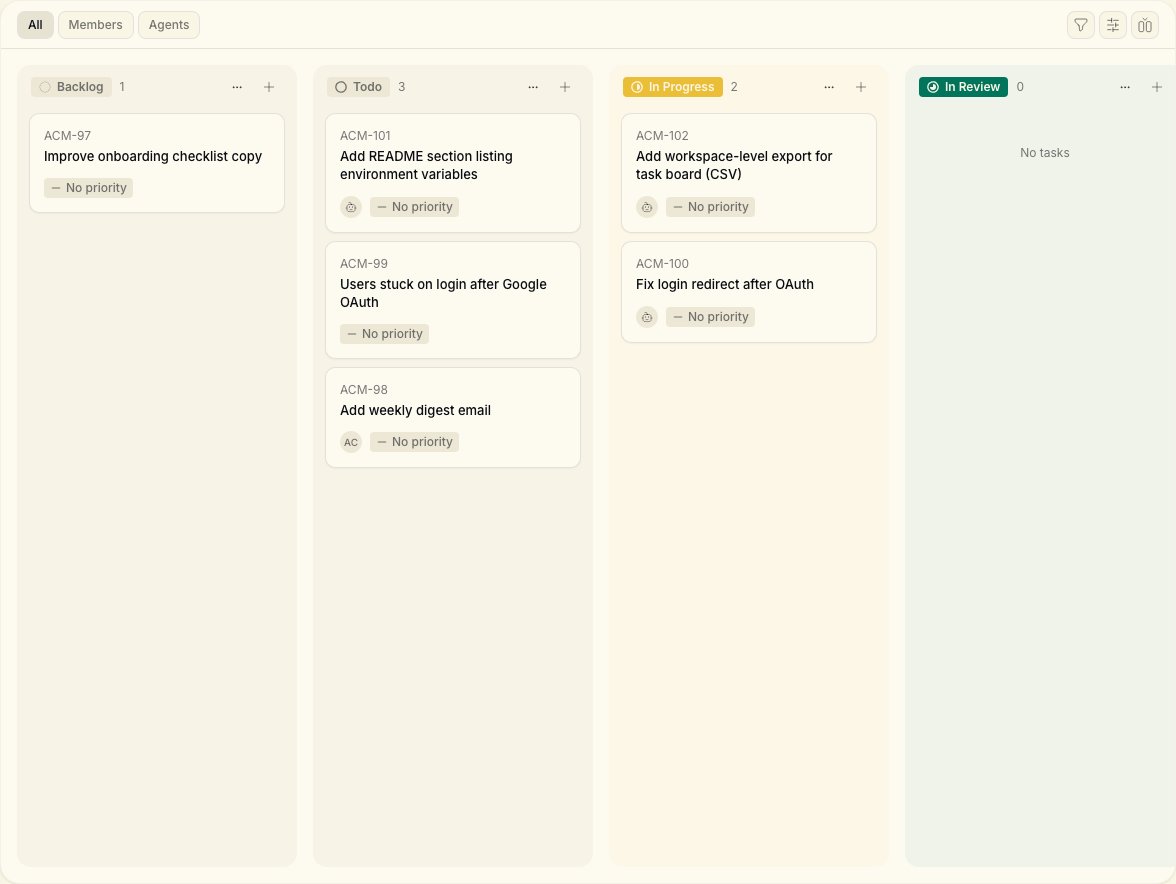
Think of Notiky as the place your product lives while you build:- Tasks and agents on one board — assign work the way you would to a colleague
- Conversations that go deep — Ask, Think, Plan, and Do modes for product decisions, not generic chat
- Skills that compound — reuse what worked on the next task
- Workspaces for teams — keep agents, tasks, and settings isolated per team or product
How it works

- You create a task and assign it in the Notiky web app.
- The agent daemon on your connected machine picks up agent assignments.
- The right agent CLI runs in an isolated workspace.
- Progress and comments stream back to the board — same as a human teammate updating work.
Get started
Cloud Quickstart
Sign up, connect your machine, assign your first task in minutes.
What can I do?
Browse by goal — first task, team setup, fix a stuck agent.
Key concepts
Agents, tasks, runtimes, skills, and workspaces in plain language.
Tasks
Create, assign, and track work on the board.
Agents
How agent teammates execute work on your machine.
Give this to Cursor/Claude
Copy-paste setup prompt for your coding agent.
Quick links
FAQ
Common questions — agents, runtimes, pricing, security.
Troubleshooting
Agent not picking up work? Start here.
Workflow recipes
Solo founder, PM, and small-team playbooks.
CLI reference
Full command reference for technical co-founders.
Open Notiky
Sign up or open your workspace.